
This is a brief write-up to introduce a delightful tool for Jupyter notebooks, ‘watermark.’
Per the project’s README, ‘watermark’ is “An IPython magic extension for printing date and time stamps, version numbers, and hardware information.” You simply add a couple of lines of code to a Jupyter notebook to automatically include key metadata of it’s execution. Below is an example output (from a notebook exported to Markdown and rendered on GitHub):
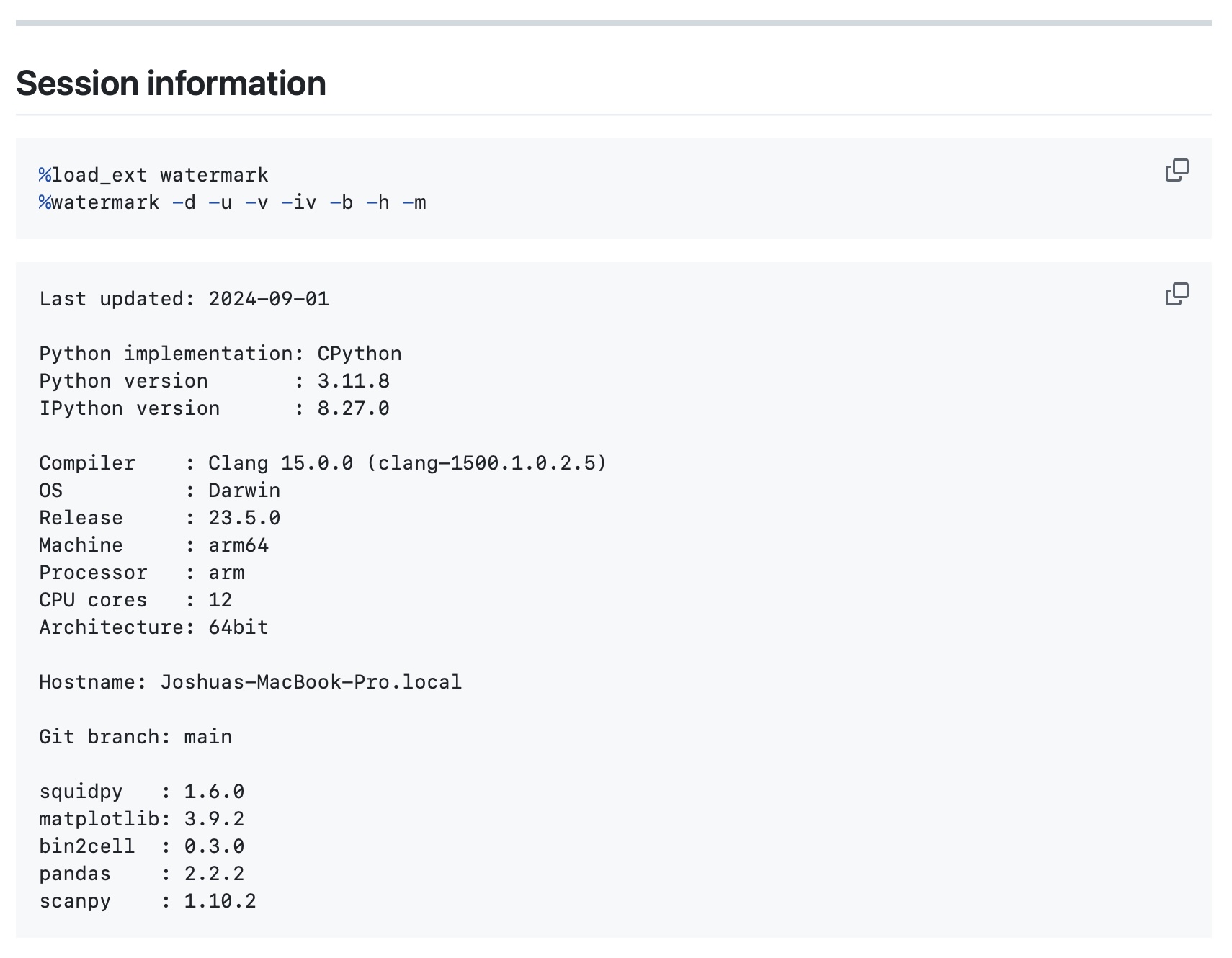
There are various configuration options for the tool (and it can be used as an imported library in the Python session itself), but I personally decided to just find something that works for me and add it as a snippet in Visual Studio Code:
{
 "notebook watermark": {
  "prefix": "watermark",
  "body": [
   "%load_ext watermark",
   "%watermark -d -u -v -iv -b -h -m",
  ],
  "description": "Standard watermark incantation."
 },
 ...
}
‘watermark’ is a simple, focused tool I use in all my Jupyter notebooks. I hope you found this quick post useful and have a very merry Christmas!